

Download Trunk ly – Social Link Saver, Free, Secure, Cross‑Platform Tool
Overview
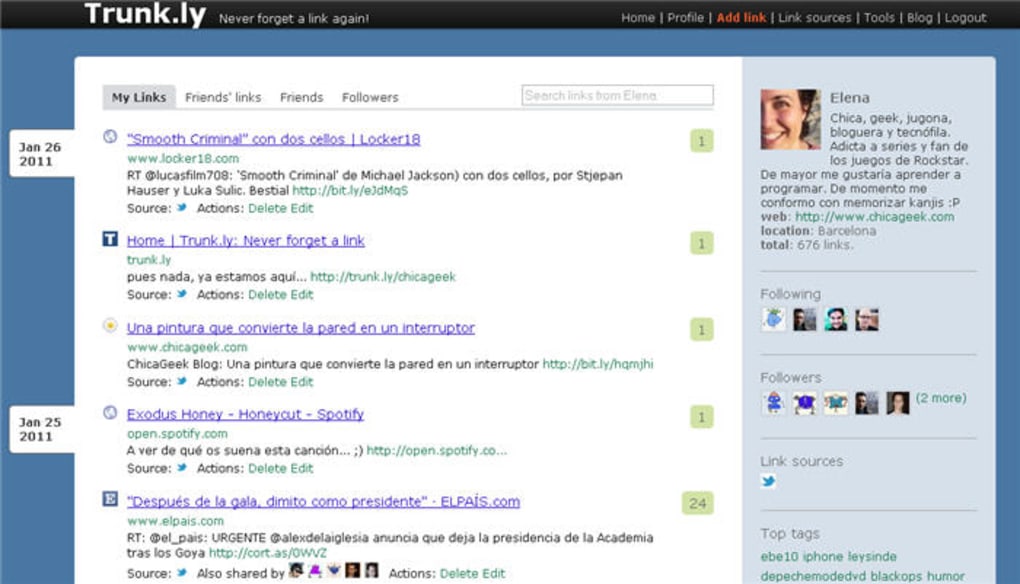
Trunk ly is a smart, cloud‑based service that captures every link you share on popular social networks such as Twitter, Facebook, LinkedIn, and even personal blog RSS feeds. The moment you post an article, video, or any web resource, Trunk ly automatically archives the URL in a personal timeline that you can search, sort, and revisit at any time. This eliminates the common frustration of losing a reference after weeks or months of scrolling through a crowded feed.
The platform works like a minimalist social network: you have followers, you can like or comment on saved links, and you can explore the content shared by friends who also use Trunk ly. The interface is intentionally simple—no flashy graphics, just a clean list view and powerful filters—so you can focus on the content, not the design. Whether you are a content creator, a marketer tracking viral posts, or a casual user who loves bookmarking interesting articles, Trunk ly provides a secure, searchable archive that lives in the cloud and syncs across all your devices.
The service is free to start, offers optional premium features for advanced analytics, and respects privacy by using OAuth authentication for each connected account, meaning your passwords never touch Trunk ly’s servers. In short, Trunk ly turns your social sharing habit into a personal knowledge base without extra effort.
Key Features & What Sets Trunk ly Apart
- Automatic Link Capture: Connect Twitter, Facebook, LinkedIn, or any RSS feed and let Trunk ly pull every shared URL in real time.
- Unified Timeline: View your own saved links alongside those of friends who follow you, creating a community‑driven discovery hub.
- Powerful Search & Filters: Full‑text search, tag‑based filtering, and date range selectors help you locate a specific article in seconds.
- Cross‑Device Sync: Access your archive from any web browser, Windows PC, macOS, Android, or iOS device without additional software.
- Privacy‑First Authentication: OAuth integration ensures that login credentials stay with the original service; Trunk ly only receives a token.
- Export & Backup Options: Download your entire link library as CSV or JSON for offline storage or migration.
- Customizable Feeds: Create personal collections, share them publicly, or embed them on a website using a simple iframe.
- Free Core Plan + Premium Add‑ons: The basic service is free forever; paid tiers unlock analytics, unlimited storage, and priority support.
Why Users Love Trunk ly
The biggest draw for users is the “set‑and‑forget” nature of the platform. After linking your accounts once, there is no manual entry required; every tweet, retweet, or Facebook post you publish is instantly recorded. This creates a reliable audit trail of your online activity, which is especially valuable for professionals who need to reference past content for reporting or compliance. The community aspect—being able to follow friends and see what they’ve saved—turns the tool into a collaborative research hub, fostering serendipitous discovery of articles you might never have encountered otherwise. Moreover, the clean UI ensures that even users with limited technical knowledge can navigate their archives without a steep learning curve.
Installation, Setup & Compatibility
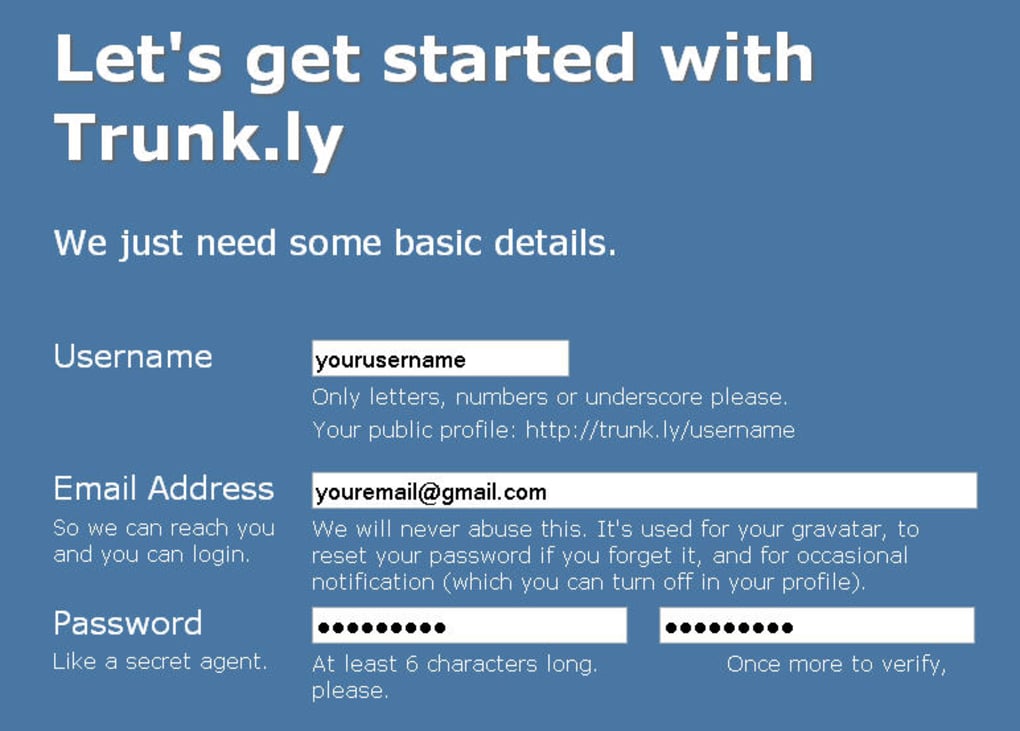
Getting started with Trunk ly is intentionally straightforward. Begin by visiting trunk.ly and clicking the “Sign Up” button. You can register using an email address or directly through a social login (Twitter, Facebook, Google). After confirming your account, you’ll be guided to the “Connections” page where you can authorize Trunk ly to access each of your social profiles. The service uses standard OAuth flows, so you never have to share your passwords—just grant permission for Trunk ly to read your public posts and retrieve shared URLs.
Once connected, Trunk ly starts pulling links immediately. You can fine‑tune which types of posts to capture (e.g., only original tweets, or include retweets) via the Settings panel. The web app is fully responsive, meaning it works seamlessly on desktop browsers (Chrome, Firefox, Edge, Safari) as well as mobile browsers on Android and iOS. No separate download or installation is required; the platform runs entirely in the cloud.
Supported Operating Systems: Windows 10/11, macOS 10.14+, Linux (any modern distribution with a recent browser), Android 8.0+, iOS 13+.
For power users who prefer a native feel, Trunk ly offers optional Progressive Web App (PWA) support. By clicking “Add to Home Screen” in Chrome or Safari, you can install a lightweight shortcut that launches the service in a standalone window, giving the illusion of a desktop application while still leveraging the web‑based backend.
If you need to import an existing collection of links, Trunk ly supports CSV and JSON uploads. This is handy for migrating from other bookmark managers or for bulk‑adding links from a spreadsheet. The export feature works the same way, ensuring you always have a local copy of your data.
Pros, Cons, FAQ & Final Thoughts
Pros
- Automatic, real‑time capture of every shared link.
- Unified timeline with social discovery features.
- Powerful search, tagging, and filtering capabilities.
- Cross‑platform access without the need for separate apps.
- Privacy‑first OAuth authentication.
- Free core plan with generous storage.
Cons
- Interface is intentionally minimal; users seeking heavy visual customization may find it plain.
- Advanced analytics are locked behind premium tiers.
- Reliance on third‑party APIs means occasional delays if a social platform changes its API.
Frequently Asked Questions
Is Trunk ly really free?
Yes, the core features—including automatic link capture, search, and basic timeline—are free forever. Premium plans add analytics, unlimited storage, and priority support.
How secure is my data?
Trunk ly uses HTTPS for all data transmission, stores information on encrypted servers, and never stores your social‑network passwords thanks to OAuth.
Can I export my saved links?
Absolutely. The Export tool lets you download your entire library in CSV or JSON format for offline backup or migration.
Does Trunk ly work with Instagram or TikTok?
Currently Trunk ly supports Twitter, Facebook, LinkedIn, and RSS feeds. Integration with Instagram and TikTok is on the roadmap.
How do I delete a link I no longer want to keep?
Select the link in your timeline and click the trash icon. You can also bulk‑select multiple entries and remove them at once.
Our Verdict
Trunk ly fills a niche that many social‑media enthusiasts didn’t even realize they needed. By turning every shared URL into a searchable artifact, it saves time, reduces frustration, and creates a personal knowledge hub that grows organically. The free tier is generous enough for most casual users, while the premium options give power users the data insights they crave. The only real drawback is its deliberately simple UI, which may feel too austere for design‑focused users. Overall, if you regularly share articles, videos, or any web content on social platforms, Trunk ly is a must‑have tool that will keep your digital footprints organized and always within reach.
Conclusion & Call to Action
In a world where information overload is the norm, having a reliable place to archive the links you deem valuable is essential. Trunk ly offers a secure, automated, and cross‑platform solution that eliminates the endless hunt for that one tweet or Facebook post you saved weeks ago. Its free core plan makes it accessible to anyone, while the optional premium features provide depth for professionals and power users. Ready to take control of your shared content? Sign up for Trunk ly today, connect your social accounts, and start building a searchable library of the web’s best moments—without lifting a finger after the initial setup.



.png)



